Stream Schedule Time Zone Converter
What time your stream starts and ends for viewers in another time zone, and whether it falls on the next or previous day for them.
Open calculator →
Plan your weekly streams with start times in your viewers' time zones, keep streams, clips and posts on one content calendar, and log your own numbers after each stream.
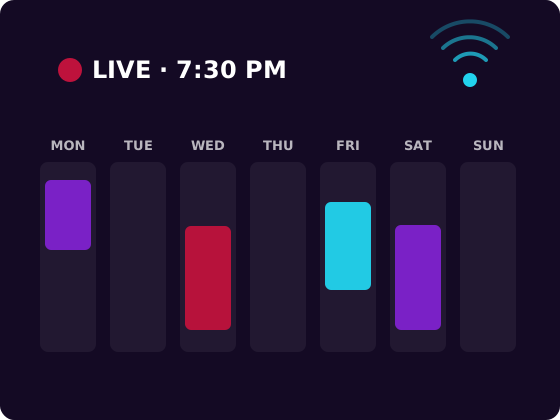
Days, times and themes.
Two extra time zones.
One calendar, with status.
Nothing you type leaves your device.
What time your stream starts and ends for viewers in another time zone, and whether it falls on the next or previous day for them.
Open calculator →
Your real weekly streaming workload: live hours plus prep and post-stream time (clips, uploads, posts), per week and per month.
Open calculator →
Printable planner pages, the calendar workbook, or the creator kit.
Starter
$5 one-time
Best for: Planning streams on paper by the desk.
Pro
$12 one-time
Best for: Planning your schedule, clips and posts in one place.
Complete
$14 one-time
Best for: Plan on screen, keep the checklist by the desk.
PayPal, card (via PayPal) or Bitcoin · instant download link by email · 30-day fix-or-refund
Generated from the real Stream Content Calendar Workbook.
Setting · Value
Streams in your weekly schedule · Scheduled live hours per week · Streams logged · Hours streamed (logged) · Average of your average viewers
Day · Start (24 h decimal) · Length (h) · Category / game · Segment or theme · End (your time)
Counting your real streaming workload, fixed days and times, viewer time zones, daily themes, planning clips and posts, and reviewing your numbers.
Read guide →
Finish on paypal.com. We email a private download link to your PayPal email once PayPal's payment notification reaches us, usually within about 15 minutes. Check spam too.
Send the exact BTC amount shown, then email the order code to eclipsekingdom.support@gmail.com. After one blockchain confirmation we reply with your private link.
Your private link works for 30 days. Lost it? Email eclipsekingdom.support@gmail.com and we'll resend it.
No. It's a spreadsheet and printable pages. You type your schedule and copy your own numbers from your dashboard.
No planner can promise that. It helps you keep a consistent schedule and see your own numbers, which makes it easier to judge what works.
You set the UTC offsets. Update them when the clocks change in your country or your viewers'.
PayPal, or a debit/credit card through PayPal's checkout where PayPal offers guest checkout. You can also pay with Bitcoin (on-chain).
PayPal: a private download link is emailed to your PayPal address, usually within about 15 minutes. Bitcoin: email your order code to eclipsekingdom.support@gmail.com; the link follows one blockchain confirmation. Links stay valid for 30 days.
Email eclipsekingdom.support@gmail.com within 30 days and we'll fix it or refund you (PayPal refunds via PayPal; Bitcoin refunds in BTC for the USD value paid). See terms & refunds.